
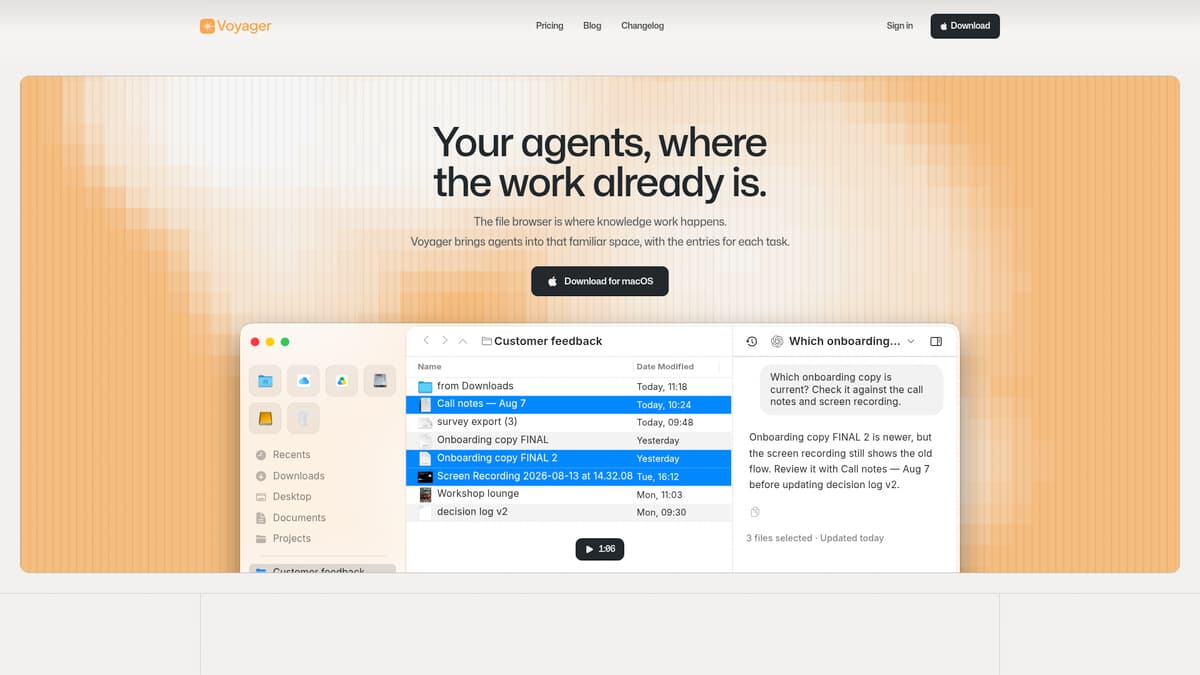
Voyager is a macOS file workspace that combines file management and AI-enabled agents in a single environment to help professionals organize files, reclaim context around work, and integrate intelligent assistance natively into their workflows. Rather than switching between Finder, separate AI tools, and agents, users can browse local files, interact with AI agents that understand those files, and build saved, rule-based views, all within Voyager’s interface.
Key Features
Native file browsing: Voyager preserves the familiar macOS file and folder layout, allowing users to manage, rename, move, and interact with files without reorganizing existing directories.
AI Chat tied to context: Users can open chat sessions linked to a specific folder or selected files. Agents receive the files’ context before tasks begin.
Saved searches and filters (“Collections”): Rule-based, reusable searches that present relevant files without physically moving them. Filters can use file names, contents, date ranges, Finder tags, and extensions, with suggestions drawn from existing results.
Tabbed workspace: Multiple work areas, folders, chats, or collections, can be kept open in tabs for easy switching, pinning, and restoring sessions.
External integrations & agents: Users can connect third-party AI agents and external services; the app supports mounting external storage systems like S3-compatible buckets.
Privacy and local control: Files stay on the Mac, and Voyager does not upload local files without explicit action. User prompts or selected files may be sent when using connected AI services, under user control. Voyager also does not use user data to train general-purpose models.
Continuous improvements: Recent updates include enhanced indexing, smarter filter suggestions, better tab behavior, more reliable agent connections, and macOS compatibility refinements. The latest version requires macOS 26 or later.
Pricing
Voyager’s pricing is structured across Free, Plus, and Pro tiers, with an additional Early Supporter Pass offering:
Free: $0 per month. Includes core macOS file management, local file browser, and the ability to use connected AI agents from local files.
Plus: $7 per month, with a discount if billed annually. Adds connection to one external app and the ability to mount S3-compatible storage. This plan is not yet fully available.
Pro: $14 per month, also with a 30% saving on annual billing. Offers everything in Plus, plus support for multiple external apps and cloud sync and storage. Not yet available at present.
Early Supporter Pass: One-time payment of $200 for the first 100 purchasers. Grants lifetime Plus access once Plus launches, subject to activation of promised minimum functionality. Refunds are available in certain conditions, especially prior to activation.
Pricing information reflects what is publicly listed and current as of early November 2026. Paid plans (Plus and Pro) are announced but not fully released yet, whereas Free access is currently available.
Who is it for?
Voyager is designed for professionals whose work heavily involves local files and evolving context, such as knowledge workers, researchers, writers, designers, or developers, who want more intelligent file organization and integrated AI assistance without leaving their computers. It suits business owners who manage many documents, contracts, assets, or reports, and need to maintain context across them. Teams or roles that rely on external apps, cloud storage, or connectors, for example in design, media, or development workflows, may benefit especially once Plus and Pro are fully released. A decision-maker evaluating tools should consider how much external integration is needed now, whether lifetime access via the Early Supporter Pass seems reasonable, and whether the macOS-only support fits their device ecosystem.
Final thoughts
Voyager presents a compelling model for combining file management and AI agents in one workspace. Its strongest value lies in preserving the context around local files, making AI interactions intuitive and tied directly to the files themselves. It may not yet fully meet needs for cloud-first businesses or cross-platform work, given current macOS-only availability, but its roadmap, including external app connections, cloud sync, and storage mounting, is promising. For businesses or professionals prioritizing structure, continuity, and smarter retrieval over flashy generation, Voyager is one to watch.
Visit the official website for more.
Keep up to date with our stories on LinkedIn, Twitter, Facebook and Instagram.