
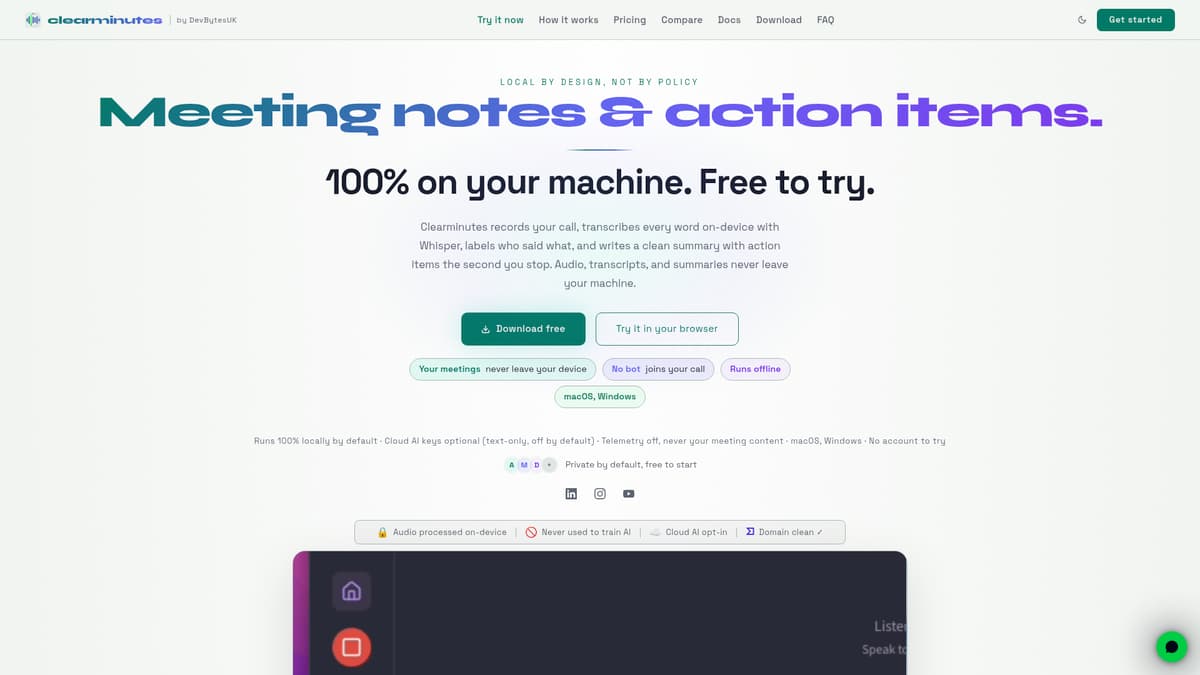
Clearminutes is a desktop and mobile AI meeting assistant built for professionals who want transcripts, summaries, and action items without sending sensitive audio to the cloud. It solves the common problem of cloud-based transcription tools by performing all capture, transcription, and summarisation locally on your device. This aims to satisfy privacy and compliance concerns—for example in legal, healthcare, or financial work—while still automating tedious tasks around meeting follow-up.
Key Features
Local transcription: Clearminutes uses open-source Whisper models that run entirely on your Mac or Windows machine. You can pick from Whisper small, medium, or large-v3-turbo. Everything happens on-device by default; audio never leaves your machine unless you explicitly enable cloud services—and then only transcript text is shared, not raw audio.
Real-time transcript with speaker labelling: As meetings proceed, you see live transcription and speaker separation in Pro. It supports capturing both microphone and system audio, so you don’t need a meeting-bot or other participant joins to record.
Automatic summarisation: Once a call ends, Clearminutes generates a summary with key decisions and action items. You can also use custom prompts and templates in the Pro plan.
Privacy and compliance: Designed for GDPR, HIPAA, and similar frameworks. Clearminutes stores data locally, has an in-app privacy monitor, and lacks telemetry or automatic uploading of content.
File imports and task integrations: Users can drop audio or video files into the app for transcription. The Pro tier includes sync with task manager TickTick, outline-style export, and multi-device use up to three.
Platform availability: Native apps are available on macOS with support for Apple Silicon and Intel, Windows 10/11, and iOS for iPhone and Apple Watch.
Other convenience features: Full-text search in transcripts, auto-titled recordings based on content, filler-word removal, and encrypted peer-to-peer transfers to other devices.
Pricing
Clearminutes operates on a tiered pricing model with a Free plan and a Pro upgrade. The main public pricing in UK Pounds is:
Free Plan (forever): includes real-time transcription using the Whisper small model, meeting summaries, action item extraction, and local meeting history.
Pro Plan: £12 per month billed monthly, with features including speaker identification, TickTick task sync, outline export, import of audio files, auto call detection, and support for up to three devices.
Annual Plan: £108 per year, effectively £9 per month, offering the same Pro features and early access to new features.
Lifetime Plan: one-time payment of £249 for all Pro features and access to future updates without recurring charges.
Pricing may vary by currency and region. Clearminutes offers a 14-day money-back guarantee for Pro. Subscription changes take effect immediately.
Who Is It For?
Clearminutes is best suited to individual professionals or small business owners who routinely handle meetings that require accurate record-keeping, but who cannot or prefer not to upload sensitive data to third-party servers. This includes:
Legal, healthcare, and financial professionals who need to maintain confidentiality and data residency.
Consultants or contractors who want to capture deliverables and commitments reliably, with action items ready for client follow-up.
Small teams or individuals using tools like TickTick or needing exports to outline formats.
Users with neurodiverse preferences needing distraction-reducing workflows: automated fillers removal, auto-titling, lock screen controls, and similar features.
Anyone who has to record or process meetings in low-connectivity environments, since the tool works offline and entirely on device.
Clearminutes may be less relevant for large teams that require shared meeting histories, collaborative editing, or centralized billing—features that are reportedly planned but not yet released.
Final Thoughts
Clearminutes is a strong choice when privacy, local data control, and offline capability are critical. Its feature set addresses many recurring pain points of meeting follow-ups, especially for professionals in regulated industries or with high confidentiality needs. While the Free plan provides meaningful core functionality, the Pro upgrade adds useful integrations, speaker labelling, and cross-device support that can significantly enhance utility. As long as your workflow doesn’t depend on large team collaboration or shared archives beyond what Clearminutes currently offers, it may be an excellent fit.
Visit the official website for more.
Keep up to date with our stories on LinkedIn, Twitter, Facebook and Instagram.