
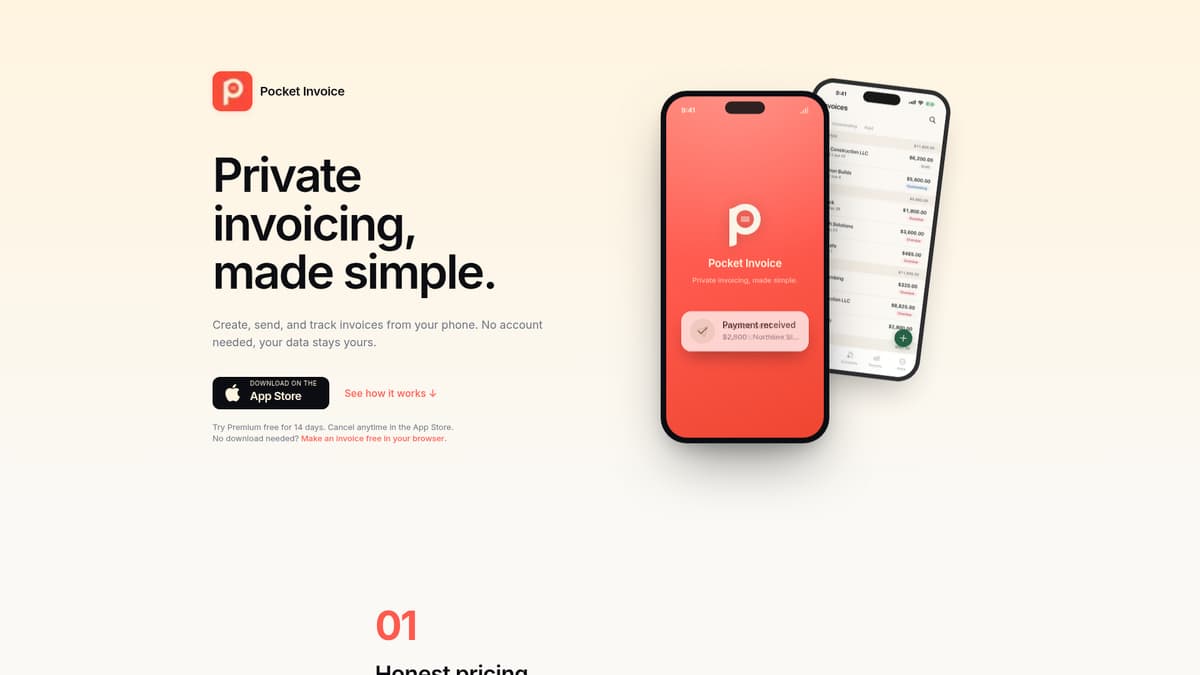
Pocket Invoice is an iOS-based invoicing and estimates app designed to help freelancers, contractors, and small business owners create professional invoices, track payments, and manage client records directly from their iPhone. It aims to reduce dependency on cloud-based systems by keeping your data local, and simplifies invoicing workflows by handling estimates, partial payments, reminders, and report generation without requiring a user account or log-in. Pocket Invoice addresses the challenge of balancing simplicity, privacy, and basic invoicing needs without overwhelming small operations.
Key Features
Invoice & Estimate Creation: Users can generate invoices and estimates complete with line items, custom accent colors, a company logo, signatures, photo attachments, sales tax handling, discount options (percentage or flat), purchase order numbers, and terms. Estimates can be converted into invoices in one tap.
Payment Tracking & Schedules: Track full and partial payments, record deposits, apply payment schedules, plus view what’s been received and what remains outstanding. Reports include income, client-specific breakdowns, and overdue balances.
Template & Branding Options: Nine polished PDF templates are available, all with customizable accent colors. Branding touches like logos, signatures, and photo attachments ensure documents look professional.
Reminders & Overdue Management: The home dashboard shows unpaid and overdue invoices, with built-in one-tap reminders (email drafts) for follow-ups when invoices are past due.
Data Ownership & Local Storage: All invoices, PDFs, client records, and similar data are stored locally on the device. Optional auto-backup to the user’s iCloud is supported. No email, password, or account registration is required. Export capabilities include PDF, JSON, and CSV formats. Data exports are available any time.
Support & Device Compatibility: Built for iPhone (iOS); Android support is “coming soon” per the developer. Priority support is available in higher-tier plans.
Pricing
Pocket Invoice offers three subscription tiers, all billed via the App Store:
Starter: $3.99 per month or $39.99 per year. Includes up to 10 invoices per month, 5 invoice templates, logo/photos/signature support, estimates converted in one tap, and export option for all data.
Plus: $9.99 per month or $89.99 per year. Includes everything in Starter, with up to 50 invoices per month, 8 invoice templates, deposits & payment schedules, and reports (income, per-client, outstanding balance).
Premium: $14.99 per month or $149.99 per year. Offers unlimited invoices, all templates, priority support, and all Plus features. A 14-day free trial is available. Annual plans offer cost savings over monthly ones.
Who Is It For?
Pocket Invoice is suited for freelancers, consultants, contractors, or micro businesses that need to generate estimates and invoices quickly from a mobile device, especially iPhone, and want control over their data. It appeals to those who:
value data privacy and prefer local storage rather than cloud-based servers.
need basic to mid-level invoicing features—estimates, templates, discount & tax handling, partial payments—but don’t require heavy collaboration tools or full accounting suites.
work on the go, making use of mobile invoicing, sending documents by email, text, or third-party apps, and following up on unpaid work quickly.
want predictable pricing and transparency, with no surprise fees, caps, or retroactive changes.
It may be less ideal for organizations that require Android support today, need integrated payment processing, automated reminders or workflows at large scale, or multi-user/team collaboration with complex roles and permissions.
Final Thoughts
Pocket Invoice offers an elegantly simple yet capable solution for businesses and individuals who need clean, efficient tools for invoicing, estimates, and payment tracking, while keeping data under their control. Its pricing structure is transparent, its feature set is strong for its target audience, and the local storage model distinguishes it in the market. For small, solo users or those wary of cloud-based systems, it’s a valuable choice—though those with more advanced requirements should verify whether missing integrations or platform support might limit its fit.
Visit the official website for more.
Keep up to date with our stories on LinkedIn, Twitter, Facebook and Instagram.