
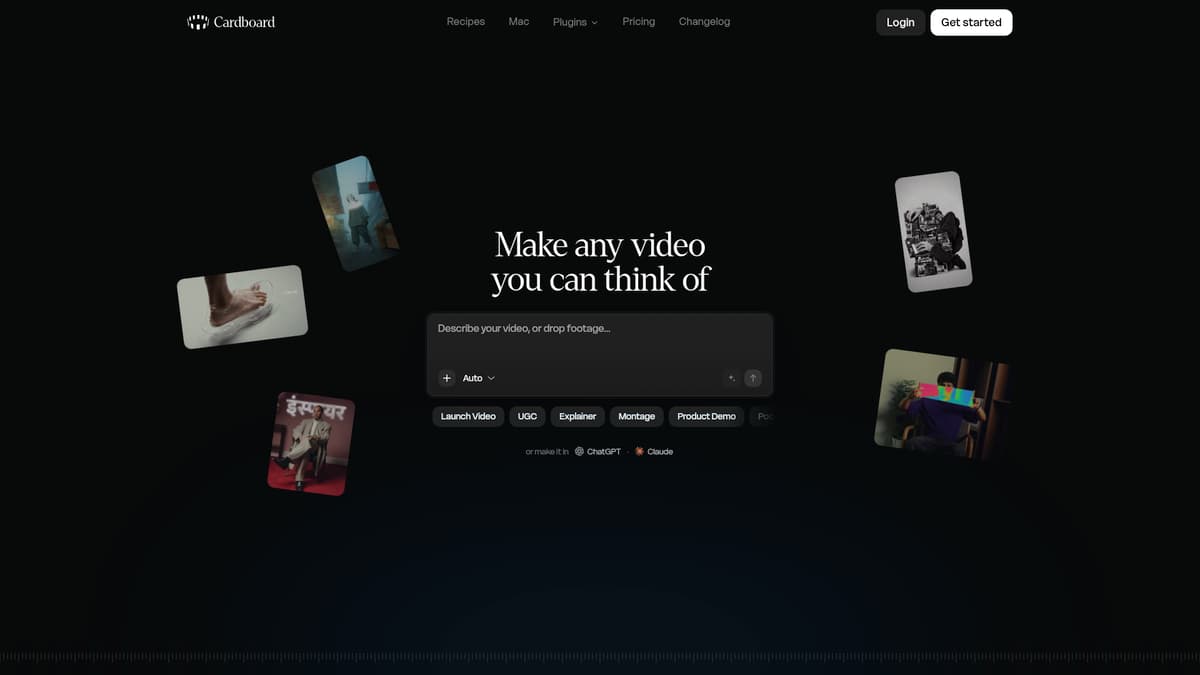
Cardboard AI is an agentic video editing tool designed for business users who need to turn raw footage into polished, multi-format videos efficiently. It uses natural language commands to create a first cut of video content, supports refinements via chat or timeline edits, and automates tasks like transcription, captioning, reframing, and voiceovers. The tool aims to streamline editing workflows, especially for marketing, social content, and internal communications. Cardboard AI operates in-browser and offers a native Mac app, with integrations into platforms like ChatGPT and Claude for conversational editing and project management.
Key Features
Natural language editing & AI agent (“Director”): Users can write commands like “make a 60-second recap” or “cut this into a 20-second ad,” and Cardboard generates a draft cut that can be refined through follow-up instructions in chat or by editing on a timeline. The agent tracks what’s in your footage and uses context to improve results.
Automated refinements: Includes features such as trimming dead air and retakes, animated captions, smart reframing for vertical, square, or widescreen formats, background removal, motion graphics, and style matching based on reference videos or images.
Voice tools & audio enhancements: Voice cloning lets users generate narration in their own voice or a chosen voice; audio cleanup removes background music and isolates vocals or speech; and multilingual transcription and caption translation are included in applicable plans.
Collaboration & export options: Shared links allow feedback without requiring logins; reviewers can leave timestamped comments that editors can act on. Outputs include MP4 and MOV, with 4K support in Creator and Pro plans. Export formats compatible with Premiere Pro, DaVinci Resolve, and XML for professional tools are supported under certain plans.
Flexible platform & integrations: Works via web browser or Mac app (Apple Silicon), and is accessible within ChatGPT or Claude using Cardboard’s MCP plugin. Projects are saved to your account, with cloud storage and usage credits.
Pricing
Cardboard AI offers several paid tiers, each with increasing usage, features, and support. Pricing is displayed in U.S. dollars and billed monthly where indicated, with possible discounts for annual subscriptions.
Plan | Monthly Price | What You Get | Usage Limits & Support |
|---|---|---|---|
Creator | approx. $32/month | Full AI editing suite; AI voiceovers; transcription & captions; multi-format exports | Base usage; 2 GB per file; 50 GB cloud storage; standard support |
Pro | approx. $120/month | Everything in Creator plus faster exports, multiple active projects, advanced workflows, priority processing | ~6× higher usage; 10 GB per file; 250 GB cloud storage |
Teams | Custom pricing | Shared workspaces; per-seat pricing; centralized billing; collaboration; dedicated support | Usage and storage scalable; tailored to team needs |
First-time subscribers may receive trial discounts. A 3-day free trial is available for new users. All plans have built-in weekly and monthly limits; extra usage credits may be purchased.
If you want to try Cardboard without full commitment, there’s a Lite plan, available for web users at around $8/month with watermark-bearing exports, and free usage via Mac app, though watermarked. Higher tiers like Starter, Creator, and Pro offer watermark-free exports and more features.
Who is it for?
Cardboard AI is best suited for business owners, content creators, marketing teams, social media managers, and internal communications specialists who:
Produce video content frequently and need to scale or repurpose material for different platforms such as Instagram Reels, TikTok, and YouTube.
Don’t have a large in-house video editing team or whose editing workflows are bottlenecked by back-and-forth feedback.
Seek quicker turnaround on promos, product demos, training clips, or video ads using existing footage.
Want to leverage AI for repetitive editing tasks like captioning, removing filler, reframing, and voice-overs.
Desire collaboration tools that allow non-editors to provide feedback easily via shareable links and timestamped comments.
It is less ideal for projects demanding extremely precise control over every frame, long-form cinematic content, or those dependent on offline editing tools alone, though integrations with pro tools exist for those workflows.
Final thoughts
Cardboard AI makes video editing accessible and significantly faster for businesses that need frequent, cross-platform content without investing heavily in specialist editing resources. Its combination of agentic prompt-based editing with timeline control bridges a gap between simple automated solutions and full pro editing. Pricing scales with usage, and the inclusion of close integrations with ChatGPT, cloud storage, and export formats makes it a viable option for teams. For decision-makers seeking to increase video output efficiency with good quality, Cardboard AI is worth evaluating against needs around creative control and long-form accuracy.
Visit the official website for more.
Keep up to date with our stories on LinkedIn, Twitter, Facebook and Instagram.