
Stripe is an online payment processing software designed for payment acceptance and online business management. It accepts multiple payment methods from around the world in 135+ currencies.
The service aims to streamline the process of online trading. Stripe can be used for any business, from e-commerce to subscription services.
It is easy and quick to join and begin using.
Start a Stripe Account:
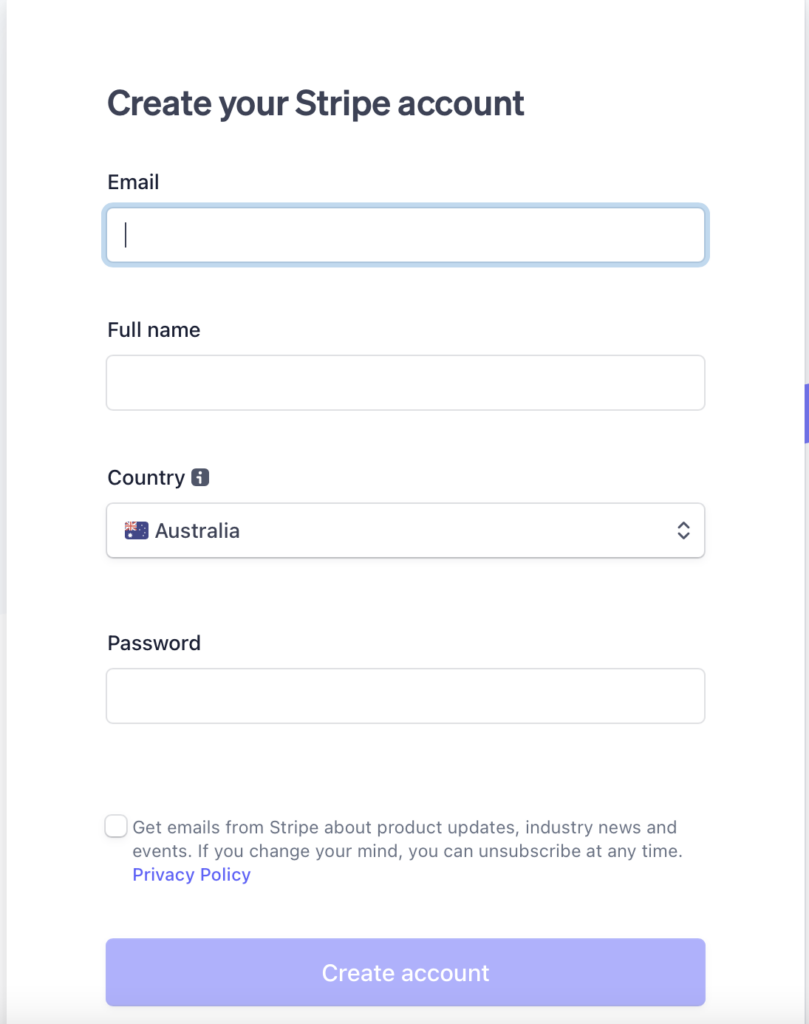
To start using Stripe, first, you must make an account. This only requires an email address.
Add Business Details:
To begin trading, you must activate your account. Stripe will now ask you for your business details. These include.
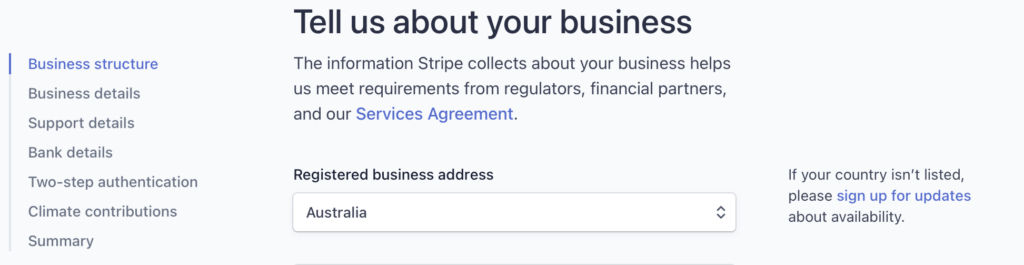
- Business Structure
- Business Details
- Business Representatives
- Business Owners
- Business Directors
- Business Executives
- Support Details
- Banks Details
- Two step Authentication
- Climate Contributors
How to use Stripe’s Platform:
Once you have successfully signed up and entered your business details, you will be able to use Stripe.
Layout:
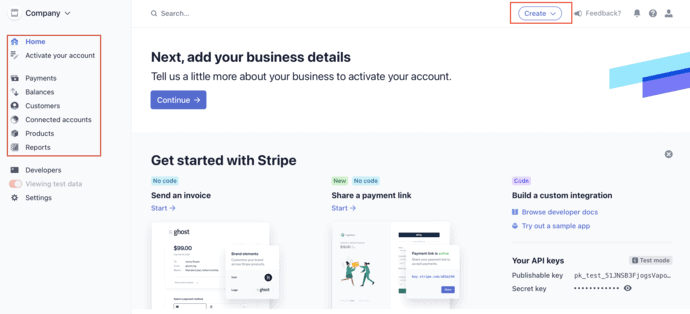
On your business home page, you will be able to access information on your account balance and account reports quickly. Reports show information such as gross value and spend per customer.
At the top of the screen, you will find the ‘Create’ dropdown. You can use this to create invoices, subscriptions, payment links, or payments.
You can create services such as invoices and subscriptions through your account.
You will find your payments, balances, customers, connected accounts, products, and report pages on the sidebar.
To send and accept payments is easy and similar to sending a payment through a bank. Click on the payments page. Select ‘Create payment’ and enter payment details. You can create either one-time or recurring payments.
Learn More
On Stripe, you can send and receive payment globally through integrated platforms. You can find the guide to Stripe’s payment methods here.
Read more: How to set up an eBay Store
Read more: How to sell on Etsy
Read more: How to launch a Shopify store
Keep up to date with our stories on LinkedIn, Twitter, Facebook and Instagram.