Dynamic Business Logo

Tech Tuesday: The best staff scheduling optimisation tools

Labor is the largest controllable cost in most shift-based businesses — and poor scheduling is the fastest way to waste it. Overstaffing during slow periods, understaffing during peak hours, last-minute no-shows, compliance violations, and the endless administrative burden of building schedules manually all compound into a measurable drain on profitability and employee morale. Research consistently shows that scheduling problems are among the top three reasons frontline workers leave their jobs — and that businesses using data-driven scheduling tools reduce labor costs by an average of 10 to 20 percent compared to those still relying on spreadsheets and intuition.

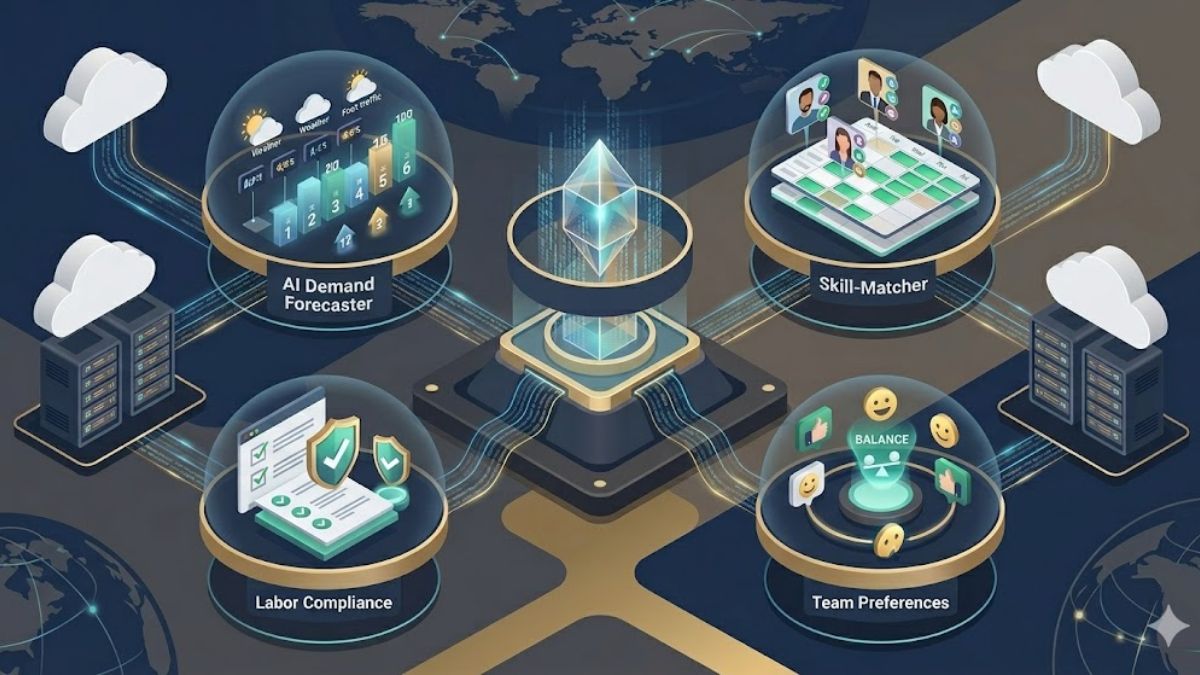
The staff scheduling software market has crossed a technological inflection point. AI-powered demand forecasting now enables platforms to predict exactly how many staff members will be needed on any given shift based on historical sales data, foot traffic patterns, seasonal trends, and real-time variables — before managers even sit down to build a schedule. Enterprise workforce management systems can process compliance rules for dozens of jurisdictions simultaneously, automatically flagging violations before a schedule is published. Contact center platforms forecast interaction volume by channel, hour, and skill group with machine-learning accuracy. And mobile-first SMB tools put self-service scheduling in every employee’s pocket, reducing the administrative back-and-forth that consumes manager time daily.

This guide covers 25 of the best staff scheduling optimization tools available in 2025–2026, organized into five categories reflecting genuine differences in buyer profile, industry, and use case: enterprise workforce management platforms, contact center WFM systems, SMB and mid-market shift scheduling tools, industry-specific vertical platforms, and ecosystem-native scheduling tools for organizations already committed to Microsoft 365. Each entry is written for Operations Directors, HR leaders, Store Managers, and business owners evaluating where scheduling technology can deliver its greatest return.

Enterprise Workforce Management (WFM) Platforms

These are full-suite workforce management systems for large organizations managing complex, multi-site, multi-role scheduling at scale. They combine AI-powered demand forecasting, advanced compliance rule engines, fatigue management, real-time labor analytics, and deep HRIS integrations to optimize staffing across thousands of employees simultaneously. Buyers are Chief HR Officers, VP-level Operations leaders, and enterprise WFM teams at organizations where scheduling errors have financial, regulatory, or safety consequences.

UKG Pro Workforce Management

UKG Pro Workforce Management is the category-defining enterprise platform, recognized as a Leader in the 2025 Gartner Magic Quadrant for Cloud HCM Suites and ranked highest in the Forrester Wave Q4 2025 for HCM solutions. Built for global, multi-location enterprises managing thousands of employees across diverse roles and jurisdictions, UKG Pro combines AI-powered scheduling with time and attendance, absence management, labor forecasting, fatigue risk management, and comprehensive compliance automation in a single unified platform. Its prescriptive scheduling engine accounts for employee availability, skills, labor cost targets, contractual constraints, and regulatory requirements simultaneously — generating optimized schedules that human schedulers could not produce manually.

Features: UKG Pro delivers AI-driven demand forecasting and prescriptive scheduling, dimensional workforce modeling across roles and locations, fatigue management to prevent burnout and safety incidents, real-time labor cost dashboards, absence and leave management, mobile-first employee self-service for shift swaps and time-off requests, and deep integration with UKG’s HCM and payroll modules. Multi-country compliance capabilities cover labor laws, union agreements, and regulatory requirements across global operations.

Best for: Large enterprises and multinational organizations with thousands of employees, complex labor compliance requirements, and multi-location operations spanning industries including retail, healthcare, manufacturing, and logistics. UKG delivers the greatest value where scheduling must simultaneously satisfy demand-driven staffing targets, union contracts, regulatory mandates, and individual employee preferences — a combination that defeats manual scheduling methods and most mid-market tools.

Workday Illuminate (Frontline Agent)

Workday Illuminate is Workday’s next-generation agentic AI platform, launched at Workday Rising 2025 and rolling out through 2026, which introduces purpose-built AI agents embedded directly into core HR and workforce management workflows. The Frontline Agent, part of the Illuminate suite, automates workforce scheduling intelligence for the frontline workers at the heart of retail, manufacturing, and service operations — connecting scheduling decisions to the full breadth of Workday’s HR, payroll, and talent data in a way that standalone scheduling tools cannot replicate. Workday serves more than 11,000 organizations worldwide, including over 65 percent of the Fortune 500, making Illuminate one of the most significant enterprise workforce management developments of 2025–2026.

Features: Workday Illuminate delivers AI agents that automate scheduling-related workforce tasks embedded in existing Workday workflows, connecting shift scheduling with payroll, talent mobility, performance data, and HR compliance in a unified platform. The broader Illuminate suite includes agents for business process automation, case management, contingent labor management, and workforce planning — all operating on Workday’s foundation of over one trillion annual transactions, giving the AI engine unmatched data context for workforce decisions.

Best for: Large enterprises already operating Workday for HCM, payroll, or finance that want to extend AI-powered scheduling intelligence without adding a parallel workforce management system. Illuminate delivers maximum value when scheduling decisions need to connect directly to talent data — ensuring skills-based shift assignments, compliance with individual employment agreements, and alignment between scheduling and broader workforce planning strategies within the same platform.

Dayforce (Ceridian)

Dayforce, formerly Ceridian, is an integrated human capital management platform that unifies workforce scheduling directly with payroll, HR, and benefits in a single real-time system — eliminating the batch-processing delays that cause compliance errors and payroll inaccuracies in organizations using separate scheduling and payroll tools. Its real-time architecture means that every scheduling change instantly updates payroll calculations, labor cost projections, and compliance alerts — giving managers an accurate, always-current picture of labor spend as they build and adjust schedules. Dayforce serves organizations across healthcare, retail, manufacturing, and professional services that need scheduling and payroll to operate as a single connected capability rather than synchronized separately.

Features: Dayforce delivers real-time schedule building with live payroll calculation, AI-assisted labor demand forecasting, configurable compliance rule engines for local and national labor laws, employee self-service for availability and time-off management, shift trading with manager approval workflows, time and attendance with biometric and mobile clock-in options, absence management, and multi-entity scheduling across complex organizational structures. Integration with Dayforce’s HCM suite connects scheduling data directly to talent, benefits, and performance management.

Best for: Mid-market and enterprise organizations that want workforce scheduling tightly integrated with payroll processing — particularly those in healthcare, retail, and manufacturing where payroll complexity (differential pay rates, overtime calculations, premium pay triggers) makes the traditional disconnect between scheduling and payroll systems a source of significant ongoing cost and compliance risk. Ideal for organizations that have experienced payroll errors or compliance issues stemming from data gaps between scheduling and payroll platforms.

WorkForce Software

WorkForce Software is an enterprise-grade workforce management platform specializing in organizations with highly complex scheduling requirements driven by intricate labor agreements, diverse employee populations, and stringent regulatory compliance obligations. Its Enterprise Workforce Management suite handles the scheduling complexity that standard WFM platforms struggle with — including granular union contract rule enforcement, complex absence and leave entitlement management, global compliance across multiple jurisdictions, and real-time analytics that surface workforce performance insights across large, distributed operations. WorkForce Software has built a particularly strong reputation in industries such as manufacturing, utilities, healthcare, and government where scheduling errors carry regulatory and safety consequences.

Features: WorkForce Software delivers advanced scheduling with configurable rule engines capable of enforcing thousands of individual labor agreement provisions simultaneously, comprehensive absence and leave management integrated with scheduling coverage planning, real-time workforce analytics and labor cost reporting, employee self-service with mobile access, predictive scheduling compliance tools, demand-driven scheduling using operational data, and integration with major HRIS, payroll, and ERP systems including SAP, Oracle, and Workday.

Best for: Large enterprises and public-sector organizations with highly complex labor agreements, union contracts, or regulatory compliance requirements that standard scheduling platforms cannot adequately model. WorkForce Software is particularly strong for organizations in manufacturing, utilities, energy, healthcare, and government where scheduling must enforce hundreds of individual contractual provisions — shift premiums, seniority rules, mandatory rest periods, qualification requirements — without manual verification of every rule on every schedule.

Quinyx

Quinyx is an AI-powered workforce management platform recognized as a Leader in the 2025–2026 IDC MarketScape for EMEA AI-Enabled Workforce Management and Compliance — a significant independent validation of its position in the enterprise scheduling market. Founded in Stockholm and now serving global organizations in retail, logistics, aviation, and hospitality, Quinyx differentiates itself through the depth of its AI-driven demand forecasting, which tracks sales promotions, seasonal spikes, local holidays, and operational events to calculate precise headcount requirements by role and time slot. After deploying Quinyx, AY Aviation reduced compliance admin time by 99 percent and cut no-shows by 70 percent while achieving 100 percent compliance — figures that illustrate the platform’s impact on operational performance.

Features: Quinyx delivers AI-powered demand forecasting translating business data into precise staffing requirements, skills-based and preference-aware scheduling, automated compliance adjustments for national and local labor laws, a Schedule Approval Flow ensuring schedules are reviewed before publication, real-time KPI dashboards tracking labor costs against sales, shift bidding and self-service for employee engagement, team communication tools, and ADP integration for seamless payroll data transfer. Customers report up to 7 percent sales increases and 10 percent improvement in employee satisfaction following deployment.

Best for: Mid-to-large enterprises in retail, logistics, hospitality, and aviation across European and global markets that need sophisticated AI-driven demand forecasting combined with robust compliance automation and strong employee engagement tools. Quinyx is particularly well-suited for organizations with dynamic, fluctuating staffing needs driven by sales events, seasonal patterns, or unpredictable foot traffic — and for those operating across multiple jurisdictions where compliance automation is as important as scheduling efficiency.

Shiftboard

Shiftboard is a workforce scheduling platform built for the most operationally complex and compliance-intensive environments — manufacturing plants, energy facilities, healthcare systems, and public safety agencies where scheduling is not just an administrative function but an operational and safety-critical one. Its two core products, SchedulePro for production-centric operations and ScheduleFlex for service-centric environments, are configured to handle the dense layers of rules — union agreements, certification requirements, fatigue management protocols, regulatory minimums — that make scheduling in these sectors a specialized discipline rather than a standard business function. Shiftboard’s continuous optimization algorithms adjust schedules automatically to maintain coverage and compliance as conditions change.

Features: Shiftboard delivers rule-based scheduling automation capable of enforcing complex union and regulatory requirements, continuous algorithmic optimization of schedules against coverage targets and compliance constraints, fatigue management to prevent dangerous cumulative shift patterns, contingent labor management for extending workforce capacity with contract workers, automated shift notifications and gap-filling workflows, employee self-service for availability and swap requests, integration with Salesforce, ADP, and Workday, and configurable compliance reporting for regulatory audits and union oversight.

Best for: Large enterprises in manufacturing, energy, healthcare, warehousing, and public safety where scheduling complexity — union rules, certification requirements, safety regulations, 24/7 coverage mandates — makes general-purpose scheduling tools inadequate and where a scheduling error has consequences measured in safety incidents, regulatory penalties, or operational shutdowns. Shiftboard excels when scheduling is genuinely a mission-critical operational function, not simply a weekly administrative task.

Contact Center & Customer Experience WFM

Specialized workforce management platforms built for contact centers, support operations, and customer-facing environments where forecasting interaction volume across multiple channels and maintaining real-time schedule adherence are mission-critical capabilities. These platforms go far beyond shift scheduling — they predict call, chat, and email volume by hour and skill group, optimize agent shift assignments against service level targets, and monitor adherence in real time with the ability to intervene when coverage gaps threaten service quality. Buyers are Contact Center Directors, VP of Customer Experience, and Workforce Management Analysts at organizations where agent scheduling efficiency directly determines customer satisfaction scores and operational costs.

NICE Workforce Management (CXone)

NICE Workforce Management, delivered as part of the NICE CXone platform, is one of the most established and comprehensive WFM solutions in the contact center market — used by hundreds of large customer service organizations globally to forecast interaction volume, optimize agent scheduling, and manage real-time adherence across multichannel environments. Its AI-driven forecasting engine analyzes historical interaction data across voice, chat, email, and social channels to generate staffing requirements by skill group, queue, and time interval. The platform supports the full WFM workflow from long-range capacity planning through daily intraday management — and its employee self-service capabilities, including shift bidding and schedule preference tools, have become a meaningful factor in contact center agent retention strategies.

Features: NICE WFM delivers multichannel AI forecasting across voice, chat, email, and digital channels, automated schedule optimization against service level targets, real-time adherence monitoring with customizable alert thresholds, shift bidding and employee self-service for schedule preference management, intraday management tools for responding to volume deviations, vacation and time-off management with fairness controls, extensive reporting and analytics, and integration with NICE CXone’s broader suite of quality management, analytics, and coaching tools.

Best for: Large contact centers and customer experience operations managing multichannel interactions across voice, digital, and self-service channels — particularly those seeking to optimize agent coverage against service level agreements while improving agent satisfaction through flexible, self-service scheduling. NICE delivers greatest value in complex, high-volume environments where the cost of a missed service level is measurable in customer satisfaction scores, contract penalties, or regulatory compliance obligations.

Calabrio WFM (Calabrio ONE)

Calabrio WFM is a cloud-native workforce management platform built specifically for contact centers, with AI at its core and a product philosophy focused on reducing the manual effort that burdens WFM teams while improving both scheduling accuracy and agent experience. Its forecasting module automates demand predictions up to 60 days in advance using machine learning, and its dynamic scheduling engine auto-assigns shifts, optimizes break placement, and enables bulk editing — eliminating the hours of manual schedule construction that WFM analysts spend each week in legacy systems. Wix switched to Calabrio and achieved 15 percent higher schedule adherence, 10 percent greater scheduling accuracy, and a 3 percent boost in customer satisfaction — a pattern of results that reflects the platform’s growing enterprise momentum.

Features: Calabrio WFM delivers ML-powered forecasting up to 60 days ahead, dynamic scheduling with auto-assignment and break optimization, real-time adherence monitoring with AUX code tracking and configurable alert snoozing, bulk schedule editing for efficient large-team management, shift bidding and agent self-service for schedule flexibility, activity request management allowing agents to self-schedule training and admin time, automated vacation planning with fairness controls, integration with Genesys Cloud and other leading CCaaS platforms, and Calabrio ONE’s broader suite of quality management and analytics tools.

Best for: Contact centers using Genesys Cloud CX or other major CCaaS platforms that want a tightly integrated, AI-native WFM solution with a strong track record of improving schedule adherence and agent satisfaction simultaneously. Calabrio is particularly well-suited for organizations that have experienced the frustration of manual schedule construction in legacy WFM systems and want a modern, cloud-native platform where AI handles the computational complexity — freeing WFM analysts to focus on strategy rather than spreadsheets.

Genesys Cloud EX WFM

Genesys Cloud CX is the leading cloud-native contact center as a service platform, and its embedded workforce management module provides AI-driven scheduling and forecasting as a native capability within the same platform handling customer interactions — eliminating the integration overhead and data synchronization delays that affect organizations using separate CCaaS and WFM systems. Its AI forecasting engine analyzes live interaction data flowing through the platform to generate real-time demand predictions, and its scheduling tools allow managers to adjust shifts based on emerging volume patterns with the agility that customer-facing operations require. Genesys Cloud CX is particularly strong in omnichannel environments where interactions flow across voice, chat, email, and messaging simultaneously.

Features: Genesys Cloud CX WFM delivers AI-driven omnichannel forecasting using live interaction data from the same platform, real-time schedule adjustment capabilities responding to emerging demand patterns, employee preference-based scheduling and shift management, gamification features incentivizing performance and adherence, integration with Genesys’s AI-powered routing, analytics, and quality management capabilities, multi-skill agent scheduling across complex contact center populations, and the simplicity of a single platform for both contact center operations and workforce management without separate integration requirements.

Best for: Contact centers already operating on Genesys Cloud CX that want native WFM capabilities without the complexity and cost of integrating a separate workforce management system. Genesys WFM delivers its greatest value in omnichannel environments where the real-time connection between interaction routing data and scheduling decisions eliminates the data lag that affects organizations using standalone WFM tools — enabling faster, more accurate responses to unexpected volume spikes or unexpected drops in staffing.

Assembled

Assembled is a next-generation workforce management platform purpose-built for modern support and customer experience teams that have outgrown spreadsheet-based scheduling but find traditional enterprise WFM systems unnecessarily complex and slow to implement. Its design reflects the reality of how contemporary support operations work — distributed teams, multiple channels, BPO partners, and real-time performance visibility requirements — and its integration with Zendesk, Salesforce, Intercom, and Gladly means it lives directly inside the tools support teams already use daily. Assembled’s vendor management module provides visibility into BPO performance alongside in-house staffing, making it one of the few platforms that gives operations leaders a unified view across their entire support workforce regardless of where agents work.

Features: Assembled delivers AI-powered short-term and long-term staffing forecasting across channels, schedule building with real-time performance monitoring, BPO vendor management providing visibility into external staffing alongside internal teams, deep integrations with Zendesk, Salesforce, Intercom, and Gladly for in-tool scheduling visibility, real-time metrics dashboards surfacing performance deviations before they impact service levels, capacity planning tools for strategic headcount decisions, quality assurance capabilities, and an enterprise WFM tier for organizations scaling to larger, more complex operations.

Best for: Modern support teams at growth-stage and mid-market technology companies that use Zendesk, Salesforce, or Intercom as their primary support platform and need accurate, real-time WFM without the implementation complexity of legacy enterprise systems. Assembled is particularly valuable for operations teams managing a combination of in-house agents and BPO partners, where having unified visibility and performance data across all staffing sources in a single platform is a genuine operational advantage over organizations managing these populations in separate systems.

Zendesk WFM

Zendesk Workforce Management is a workforce management solution built natively into the Zendesk customer service platform, designed to give support operations the scheduling and forecasting capabilities they need without requiring a separate WFM tool or complex integration project. Its AI-powered forecasting engine analyzes historical ticket volume, channel activity, and agent performance data already stored in Zendesk to predict future workload needs with accuracy that standalone forecasting tools — which lack access to the underlying interaction data — cannot match. For support teams already using Zendesk as their system of record, the platform delivers immediate forecasting and scheduling intelligence without the onboarding burden of adopting an entirely separate software category. The Portland Bureau of Transportation used Zendesk WFM to increase productivity by 35 percent.

Features: Zendesk WFM delivers AI forecasting drawing directly from Zendesk ticket and interaction data, automated schedule generation based on predicted demand and agent availability, real-time agent activity monitoring showing current status and channel assignments, bulk team schedule editing for rapid adjustments, agent self-service for availability and time-off management, compliance monitoring and overtime alerts, performance analytics tracking individual and team productivity trends, and native integration with Zendesk’s broader suite of ticketing, messaging, and analytics tools.

Best for: Customer support teams already operating Zendesk as their primary ticketing and customer communication platform that want native WFM capabilities without adopting a separate system. Zendesk WFM is most valuable for support organizations of 20 to 500 agents where the scheduling challenge is primarily about accurately predicting ticket volume and staffing accordingly — rather than managing the complex multi-site, multi-skill, multi-channel complexity that large contact center WFM platforms are designed for.

SMB & Mid-Market Shift Scheduling Platforms

Practical, accessible, and fast-to-implement scheduling tools for businesses with hourly and shift-based workforces across retail, hospitality, food service, healthcare, and field services. These platforms prioritize mobile-first employee access, labor cost visibility, ease of use for non-technical managers, and direct integration with the accounting and payroll software most SMBs already use. They are the right tools for businesses moving beyond spreadsheets and group text messages — delivering structured scheduling, real-time communication, and basic compliance monitoring at price points that make them accessible to businesses of all sizes. Buyers are Operations Managers, Store Managers, and small business owners managing teams of 5 to 500 employees.

Deputy

Deputy is one of the most widely adopted workforce management platforms for shift-based businesses, with a particular strength in AI-powered scheduling that automatically suggests optimal shift assignments based on employee availability, historical scheduling patterns, labor demand forecasts, and labor law compliance requirements — all without requiring managers to manually reconcile these variables. Used across retail, hospitality, healthcare, and professional services, Deputy has built a strong reputation for reducing the time managers spend building schedules from hours to minutes while simultaneously improving the quality of labor allocation decisions. Its AI forecasting engine connects to sales and operational data to predict staffing demand, ensuring businesses staff for what is actually expected rather than habit or guesswork.

Features: Deputy delivers AI-powered demand forecasting and auto-scheduling based on predicted labor needs, real-time labor cost visibility as schedules are built, compliance automation for local labor laws including break requirements and overtime thresholds, employee self-service for availability, shift swaps, and time-off requests via mobile app, GPS-enabled time clock for accurate clock-ins, integration with leading payroll providers and POS systems, task management connected to scheduled shifts, and a news feed for team communications and announcements.

Best for: Mid-to-large businesses in retail, hospitality, and healthcare that need a powerful, demand-driven scheduling platform combining AI forecasting with robust compliance automation and strong payroll integrations. Deputy is particularly effective for organizations managing multiple locations or departments where labor cost control is a strategic priority and where managers need to make scheduling decisions quickly without deep analytical expertise — leveraging the AI engine to optimize what would otherwise require hours of manual calculation.

Homebase

Homebase is the most comprehensive all-in-one workforce management platform for small local businesses, combining scheduling, time tracking, payroll processing, team messaging, hiring, and onboarding in a single product at a price point designed for independent restaurants, retail stores, and service businesses. Its AI-powered Scheduling Assistant, launched in 2025, automates shift creation and conflict resolution — reducing the manual scheduling work that consumes hours of manager time each week and replacing it with optimized schedules that balance labor costs against coverage requirements. With a generous free plan covering basic scheduling for a single location and paid tiers adding payroll and advanced features, Homebase has become the default scheduling platform for millions of small business owners in the United States.

Features: Homebase delivers AI-powered scheduling with automated shift creation and conflict resolution, a built-in time clock with GPS and geofencing, integrated payroll processing for W-2 and 1099 workers, team messaging for announcements and direct communication, hiring tools for posting jobs and managing applicants, employee onboarding document management, labor cost tracking in real time against revenue, shift trading and availability management, integration with Square, Toast, Clover, QuickBooks, Gusto, ADP, and Paychex, and a free plan for single-location businesses.

Best for: Small local businesses — restaurants, retail stores, salons, gyms, and service businesses — managed by owners who need an all-in-one platform covering scheduling, time tracking, and payroll without the cost or complexity of enterprise workforce management systems. Homebase delivers the greatest value for businesses where the owner or a single manager handles all HR and scheduling functions and needs a tool that eliminates administrative overhead across multiple workflows in one affordable, easy-to-use platform.

When I Work

When I Work is a mobile-first employee scheduling platform designed for businesses with shift-based workforces — retail stores, restaurants, healthcare clinics, and service businesses — that prioritize ease of communication alongside scheduling functionality. Its design philosophy centers on the employee experience: giving frontline workers real-time visibility into their schedules, the ability to swap shifts and request time off directly from their phones, and instant notifications when changes occur — reducing the no-shows and last-minute disruptions that plague organizations where schedule communication still happens through phone calls and group texts. For managers, When I Work provides real-time visibility into staffing levels and labor costs alongside an intuitive drag-and-drop scheduling interface.

Features: When I Work delivers drag-and-drop schedule building with auto-fill and template options, labor demand forecasting with overtime alerts to control costs, GPS-enabled clock-ins and clock-outs from the mobile app, shift trading and availability management entirely through employee self-service, team messaging for instant schedule communication and announcements, time-off request workflows with manager approval, integration with leading payroll systems, real-time labor cost tracking against budgets, and a free plan for a single location covering up to 75 users.

Best for: Small to mid-sized businesses in shift-heavy industries — retail, hospitality, food service, and healthcare — that want a mobile-first scheduling tool emphasizing employee communication and self-service alongside core scheduling functionality. When I Work is particularly strong for organizations where the biggest scheduling problem is not demand forecasting complexity but communication — the gap between when a schedule is built and when employees reliably know about it, can act on it, and can manage their own schedule changes without manager intervention.

Sling

Sling is a versatile employee scheduling and workforce management platform that combines scheduling, team communication, task management, and labor cost controls in a single tool accessible to businesses of virtually any size — from single-location small businesses using the free tier to multi-location enterprises using the Premium plan. Its strength is the breadth of what it covers at its price point: auto-scheduling templates that speed up schedule creation, built-in messaging for team announcements and direct communication, task assignment connected to scheduled shifts, and real-time labor cost tracking against targets. This combination of scheduling and communication tools in one platform has made Sling a popular choice for businesses trying to reduce the number of separate apps their managers and employees need to manage daily.

Features: Sling delivers auto-scheduling with templates for repeating shift patterns, a built-in communication system for announcements and group or direct messaging, task management enabling managers to assign duties alongside scheduled shifts, labor cost tracking against targets with overtime alerts, time clock functionality, availability and time-off request management, conflict detection and scheduling alerts, multi-location support for businesses operating multiple sites, and a free plan covering basic scheduling and messaging for unlimited employees at a single location.

Best for: Small to mid-sized businesses across retail, hospitality, food service, education, and professional services that want a scheduling platform combining shift management and team communication in one affordable tool — particularly those currently managing scheduling in one tool and team communication in another. Sling is an excellent first step for businesses moving from spreadsheet or paper-based scheduling, and a strong option for any organization where reducing the number of workplace apps and consolidating communication is as important as scheduling optimization.

Connecteam

Connecteam is a mobile-first all-in-one workforce management platform built specifically for businesses with deskless, field-based, and distributed hourly workforces — the construction crews, delivery drivers, home care workers, security teams, and field technicians who do not sit at a desk and have historically been underserved by office-centric HR and scheduling software. By combining scheduling, time tracking, task management, forms, checklists, training, and team communication in a single mobile application, Connecteam provides the operational infrastructure that field-based businesses need to manage dispersed teams without relying on phone calls, paper forms, or a patchwork of separate apps. Its free-for-life plan for teams of up to ten users and affordable paid tiers make it accessible to small businesses while its feature depth scales for larger organizations.

Features: Connecteam delivers drag-and-drop shift scheduling with automated notifications, a GPS-enabled time clock preventing buddy punching and enabling location verification at clock-in, task management with checklists and forms for field team accountability, team messaging and announcements for real-time communication, automated scheduling based on availability and shift patterns, integration with ADP, QuickBooks, Gusto, and Xero for payroll, employee training and onboarding modules, digital forms and reports replacing paper processes, and a free-for-life plan for teams up to ten users.

Best for: Small to mid-sized businesses with deskless, field-based, or distributed workforces — construction, home services, healthcare, logistics, security, and field retail — that need a single mobile platform managing scheduling, time tracking, task accountability, and team communication for employees who are never at a desk. Connecteam is particularly strong for businesses where the primary challenge is not schedule optimization sophistication but operational coordination — keeping field teams informed, accountable, and connected throughout their working day.

Planday (Xero)

Planday is a smart scheduling and workforce management platform for small to mid-sized businesses, now part of the Xero ecosystem following its acquisition, which brings scheduling and payroll data closer together for businesses already using Xero for accounting. Its clean, intuitive interface and auto-scheduling capability have made it a popular choice in European markets — particularly in hospitality, retail, and food service — where businesses need a scheduling tool that is simple enough for managers without technical backgrounds to use confidently, while providing the payroll reporting and labor cost visibility that owners and finance teams require. Planday’s direct Xero integration means that hours worked flow into payroll preparation automatically, reducing the double-entry and reconciliation overhead that affects businesses using disconnected scheduling and accounting tools.

Features: Planday delivers auto-scheduling that builds optimized schedules based on employee contracts, availability, and skills, smart planning metrics showing labor costs against revenue targets, a punch clock with GPS location tracking and geofencing, payroll reporting connecting worked hours to cost and integration with Xero and other payroll providers, shift trading and open shift management through a mobile app, team messaging for schedule and operational communication, employee self-service for availability and time-off requests, and integration with major POS systems including Square and Lightspeed.

Best for: Small to mid-sized businesses — particularly in hospitality, retail, and food service — that use Xero for accounting and want a scheduling platform that integrates directly with their accounting and payroll workflows. Planday is particularly well-suited for European businesses managing hourly workers under variable contract structures, and for any organization where the connection between scheduled hours, worked hours, and payroll costs needs to be transparent and accurate without manual reconciliation between scheduling and accounting systems.

Humanity (TCP Software)

Humanity, now part of TCP Software’s workforce management portfolio, is a cloud-based employee scheduling platform with a people-first design philosophy that balances business demand with individual employee preferences to create schedules that serve both operational needs and workforce wellbeing. Its AI-powered demand forecasting engine analyzes historical business data to calculate precise headcount requirements by role and time slot, while simultaneously factoring in employee availability preferences, skill qualifications, and workload balance — producing schedules that reduce burnout and improve retention alongside controlling labor costs. Humanity serves retail, call centers, restaurants, and healthcare organizations that have found that scheduling-driven attrition is as significant a cost as scheduling-driven overstaffing.

Features: Humanity delivers AI-powered demand forecasting translating business data into precise staffing requirements, automated scheduling that factors in both business demand and individual employee preferences simultaneously, custom and pre-built compliance rule sets for proactive conflict detection, employee self-service via a mobile app with 24/7 schedule access, shift bidding and open shift management, absence and time-off tracking, real-time labor cost monitoring, manager alerts for scheduling conflicts and compliance violations, and integration with leading HRIS, payroll, and POS systems through TCP Software’s broader platform ecosystem.

Best for: Mid-market businesses across retail, food service, healthcare, and call center environments where scheduling-driven employee turnover is a recognized operational cost — and where a more employee-centric approach to scheduling, one that respects preferences and workload balance alongside meeting business demand, is part of a deliberate retention strategy. Humanity is particularly effective for organizations that have measured the cost of frontline turnover and concluded that improving the scheduling experience is one of the highest-ROI interventions available to them.

Agendrix

Agendrix is Canada’s top-rated employee scheduling and workforce management platform, built and supported in Sherbrooke, Quebec, and designed specifically for the compliance, bilingual, and payroll integration requirements of Canadian businesses managing hourly and shift-based teams. Fully bilingual in English and French, ISO/IEC 27001 and 27701 certified, and integrated with leading Canadian payroll providers including Nethris, ADP Canada, and Employeur D, Agendrix offers Canadian businesses a scheduling platform that understands the specific regulatory environment — provincial labor laws, CRA requirements, multi-provincial payroll compliance — in which they operate. With an average implementation time of four hours per location and a $5,120 annual saving in management time reported by customers, Agendrix combines fast time-to-value with meaningful operational impact.

Features: Agendrix delivers intuitive drag-and-drop scheduling with shift assignment, open shift management, and automated employee notifications, a mobile time clock with GPS verification for accurate clock-ins, automated timesheet generation from actual clock data, time-off and availability management with manager approval workflows, team messaging for real-time communication, an HRIS module for employee records, onboarding, and document management, integration with Nethris, ADP Canada, Employeur D, and other Canadian payroll providers, bilingual EN/FR support across the platform and customer service, and pricing starting at $4.95 CAD per user per month.

Best for: Canadian small and mid-sized businesses — restaurants, retail stores, healthcare providers, and other shift-based operations — that need a bilingual, CRA-compliant, provincially-aware scheduling platform built specifically for the Canadian market. Agendrix is the strongest choice for businesses operating in bilingual regions or across multiple Canadian provinces where scheduling compliance, payroll integration with Canadian providers, and French-language support are non-negotiable requirements rather than optional features.

Industry-Specific Scheduling Tools

Purpose-built scheduling platforms for specific industries with highly specialized compliance, operational, or credentialing requirements that general-purpose scheduling tools cannot adequately serve. Each platform in this category is deeply optimized for its target vertical — with integrations, terminology, reporting, and compliance rule sets designed around the unique operational realities of restaurants, hospitality chains, retail and grocery operations, and public safety agencies. Buyers are Operations Directors and General Managers in these specific industries who have found that general scheduling tools require too much customization to serve their specific workflows.

7shifts

7shifts is the market-leading scheduling and workforce management platform purpose-built for the restaurant industry, trusted by over 50,000 restaurants including major chains like Five Guys, Sambo’s, and Bareburger as well as independent full-service restaurants and quick-service operators. Its defining capability is the direct integration with restaurant POS systems — connecting sales forecasting data from the point of sale directly to labor scheduling, enabling managers to build schedules that hit specific labor-to-sales percentage targets rather than guessing at how many staff members a shift will require. The platform’s auto-scheduler uses historical scheduling patterns, seasonality, and guest traffic trends to generate labor-optimized schedules automatically, dramatically reducing the time managers spend building schedules each week.

Features: 7shifts delivers POS-integrated labor demand forecasting connecting sales data to scheduling decisions, an AI auto-scheduler generating optimized schedules based on historical patterns and guest traffic trends, real-time labor cost monitoring against sales targets as schedules are built, tip management and tip pooling tools for front-of-house teams, manager log for operational communication and shift notes, team messaging and announcements, employee self-service for availability and time-off requests, shift trading with manager approval, integration with 50+ POS and payroll systems, and a free plan for single-location restaurants.

Best for: Restaurants of all sizes — from single-location independent operators to multi-unit chains — that want to control labor costs by connecting scheduling directly to sales forecasting through POS integration. 7shifts is the strongest choice for restaurant operators who have identified labor cost as their most significant controllable expense and want a scheduling platform that speaks the language of the restaurant industry: labor-to-sales ratios, tip management, and the specific compliance requirements of food service employment rather than a generic scheduling tool adapted for restaurant use.

HotSchedules (Fourth)

HotSchedules, now part of Fourth’s hospitality and restaurant labor management suite, is one of the most established scheduling platforms in the restaurant and hospitality industry — with a customer base spanning thousands of multi-unit restaurant groups, hotel properties, and food service operations that have relied on the platform for workforce scheduling across complex organizational structures. As part of Fourth’s broader platform, HotSchedules connects scheduling with inventory management, purchasing, and financial analytics — giving hospitality operators a unified view of their largest cost categories in a single system. The platform’s depth of hospitality-specific features — manager log, communication tools designed around restaurant operational rhythms, and tip management — reflects its decades of development alongside restaurant operators.

Features: HotSchedules delivers restaurant and hospitality-specific scheduling with multi-location management, manager log for shift communication, team messaging and announcements, labor cost forecasting connected to sales and revenue data, employee self-service for availability, shift swaps, and time-off requests via mobile app, POS system integration for labor data synchronization, compliance alerts for break requirements and overtime thresholds, integration with Fourth’s inventory and purchasing modules for unified cost management, and reporting dashboards tracking labor efficiency across locations.

Best for: Multi-unit restaurant groups, hotel operations, and hospitality chains that need a scheduling platform with deep industry-specific functionality and a proven track record across complex, multi-location hospitality operations. HotSchedules is particularly valuable for organizations that want to connect scheduling with inventory and purchasing data in Fourth’s unified platform — gaining visibility into labor costs alongside food and beverage costs in a single operational dashboard rather than managing these data streams separately.

TimeForge

TimeForge is an AI-powered labor scheduling platform founded in 2007 and built specifically for retail, grocery, restaurant, and hospitality operators who need scheduling decisions driven by sales data rather than manager intuition. Its core capability — connecting point of sale sales history directly to labor forecasting and schedule generation — enables multi-location operators to build schedules that precisely match staffing to expected demand, controlling the labor-to-sales ratios that determine whether a shift is profitable or wasteful. TimeForge was one of the earliest scheduling platforms to embed AI-powered forecasting in the retail space, and its customer base includes grocery chains, convenience store operators, quick-service restaurant groups, and hospitality businesses across North America.

Features: TimeForge delivers POS-integrated AI sales forecasting that builds labor schedules from sales history automatically, a one-click auto-scheduler generating compliant schedules in seconds, real-time labor cost monitoring against sales targets from any device, built-in compliance with local, state, and federal labor laws with automated alerts, multi-location reporting comparing labor performance across all stores from a single dashboard, employee time clock with biometric options, team messaging, integration with leading payroll systems including Workday and Paycor, and mobile apps for managers and employees.

Best for: Multi-location retail, grocery, convenience, and restaurant operators that need scheduling directly connected to POS sales data to control labor-to-sales ratios across all locations simultaneously. TimeForge is particularly strong for operators with 3 to 300 locations who currently build schedules in spreadsheets or in tools that do not connect to their POS — and who recognize that the gap between what the sales data predicts they need and what intuition-based scheduling delivers is a measurable and recoverable cost opportunity.

Aladtec

Aladtec is an automated scheduling and workforce management platform purpose-built for public safety agencies — fire departments, police departments, EMS services, and communications centers — where scheduling is a safety-critical function governed by union contracts, mandatory minimum staffing requirements, certification and training compliance, and 24/7 coverage obligations that general-purpose scheduling tools cannot adequately model. Its scheduling engine handles the complex shift rotation patterns — Kelly cycles, Panama rotations, four-on-four-off schedules — that are standard in public safety without requiring manual configuration of every rule. Aladtec’s real-time overtime alerts and minimum staffing notifications ensure agencies never fall below the staffing thresholds required by their operational mandates or union agreements.

Features: Aladtec delivers automated scheduling for complex public safety shift rotations and union-compliant scheduling rules, minimum staffing requirement enforcement with real-time alerts when coverage falls below mandated levels, certification and qualification tracking ensuring only credentialed personnel are assigned to roles requiring specific training, employee self-service for shift trades and open shift bidding via mobile app, overtime management and distribution tracking, digital forms for operational reporting and incident documentation, integration with payroll systems, budget tracking against overtime and staffing costs, and reporting tools for union and regulatory compliance documentation.

Best for: Fire departments, police departments, EMS agencies, emergency communications centers, and other public safety organizations that need a scheduling platform specifically designed for the operational, contractual, and regulatory complexity of 24/7 public safety staffing. Aladtec is the right choice when the scheduling challenge involves mandatory minimum staffing levels, union contract compliance, certification tracking, and complex shift rotation patterns — requirements that would require extensive customization in a general-purpose scheduling platform and that Aladtec addresses as built-in capabilities.

Ecosystem-Native & Lightweight Scheduling Tools

These tools win by integration — living natively inside platforms organizations already use, or serving as accessible entry points for teams that need basic, structured scheduling without the cost or complexity of dedicated workforce management platforms. They are the right choice when the primary need is visibility and coordination rather than advanced optimization, or when an organization’s existing technology investment already provides the foundation for scheduling functionality. Buyers are IT Directors, Office Managers, and business owners looking to maximize the value of existing software investments.

Microsoft Teams Shifts

Microsoft Teams Shifts is a schedule management application built directly into Microsoft Teams, providing frontline workforce scheduling, time clock functionality, and shift communication as a native capability within the collaboration platform that millions of organizations already use for daily work. Included at no additional cost with all Microsoft 365 and Office 365 plans that include Teams — from the F1 and F3 frontline worker tiers through to enterprise E plans — Shifts eliminates the cost and integration overhead of a separate scheduling tool for organizations already committed to the Microsoft ecosystem. For larger organizations with more complex scheduling needs, Shifts connects to enterprise WFM systems including UKG, Blue Yonder, and Reflexis through native connectors, maintaining the simple Teams interface while applying business rules configured in the WFM platform.

Features: Microsoft Teams Shifts delivers schedule creation and management within the Teams interface, employee self-service for viewing schedules, requesting time off, offering and swapping shifts with manager approval, shift-based tags for targeting communications to on-shift employees in real time, a time clock with location-based clock-in restrictions, open shift management enabling employees to claim available shifts, integration with UKG, Blue Yonder, and Reflexis through native WFM connectors, Power Automate integration for scheduling workflow automation, and Microsoft Graph API access for custom integrations with payroll and HRIS systems.

Best for: Organizations already operating Microsoft 365 or Office 365 that manage frontline or shift-based workers and want scheduling functionality without adding a separate scheduling application or its associated cost and onboarding burden. Shifts is particularly well-suited for healthcare practices, retail teams, manufacturing shift supervisors, and government agencies that are already deep in the Microsoft ecosystem and want to consolidate scheduling alongside the communication and collaboration tools their teams use daily — especially smaller teams where the native Microsoft 365 feature set covers the scheduling requirement without the overhead of a dedicated WFM platform.

Comparison Table: 25 Staff Scheduling Optimization Tools

ToolAI / Key StrengthBest Fit
Enterprise Workforce Management Platforms
UKG Pro Workforce ManagementAI prescriptive scheduling, fatigue mgmt, global complianceLarge enterprise, multi-location, global operations
Workday Illuminate (Frontline Agent)Agentic AI connecting scheduling to HR, payroll & talentFortune 500 Workday customers, 2026 rollout
Dayforce (Ceridian)Real-time scheduling connected directly to payroll calculationMid-enterprise needing scheduling-payroll unity
WorkForce SoftwareComplex labor agreement & union contract rule enforcementManufacturing, utilities, govt, complex compliance
QuinyxIDC MarketScape Leader; AI demand forecasting & complianceMid-to-large retail, logistics, aviation, hospitality
ShiftboardMission-critical scheduling with union rules & fatigue mgmtManufacturing, energy, healthcare, public safety
Contact Center & Customer Experience WFM
NICE WFM (CXone)Multichannel AI forecasting, shift bidding, intraday mgmtLarge contact centers, omnichannel CX operations
Verint Workforce ManagementDa Vinci AI forecasting, gamification, CX analytics integrationEnterprise contact centers, financial services, telco
Calabrio WFM (Calabrio ONE)60-day ML forecasting, dynamic scheduling, Genesys integrationContact centers on Genesys or other CCaaS
Genesys Cloud CX WFMNative WFM inside leading CCaaS, real-time interaction dataGenesys Cloud CX users, omnichannel contact centers
AssembledModern WFM for support teams, BPO visibility, Zendesk/SF nativeGrowth-stage & mid-market support teams
Zendesk WFMAI forecasting from Zendesk ticket data, native integrationSupport teams 20–500 agents using Zendesk
SMB & Mid-Market Shift Scheduling Platforms
DeputyAI demand forecasting, auto-scheduling, compliance automationRetail, hospitality, healthcare, mid-market
HomebaseAll-in-one: scheduling + payroll + hiring + onboardingSmall local businesses, restaurants, retail
When I WorkMobile-first scheduling, GPS clock-ins, real-time shift commsShift-based SMBs, retail, hospitality
SlingAuto-scheduling + built-in team messaging + task managementSMBs wanting scheduling & comms in one tool
ConnecteamMobile-first all-in-one for deskless & field-based teamsConstruction, field services, logistics, security
Planday (Xero)Auto-scheduling, Xero payroll integration, EU market focusHospitality, retail SMBs using Xero
Humanity (TCP)People-first AI balancing demand with employee preferencesRetail, food service, healthcare, call centers
AgendrixCanada’s top-rated tool; bilingual EN/FR, CRA-compliant payrollCanadian SMBs, provincial compliance required
Industry-Specific Scheduling Tools
7shiftsPOS-integrated labor forecasting to hit labor-to-sales targetsRestaurants of all sizes, QSR to fine dining
HotSchedules (Fourth)Hospitality scheduling + Fourth’s inventory & cost managementMulti-unit restaurant groups, hotel operations
TimeForgePOS-integrated AI forecasting, one-click auto-schedulerMulti-location retail, grocery, convenience, QSR
Aladtec24/7 public safety rotations, min. staffing, certification trackingFire, police, EMS, public safety agencies
Ecosystem-Native & Lightweight Tools
Microsoft Teams ShiftsNative scheduling inside Teams, WFM connectors for UKG/Blue YonderMicrosoft 365 orgs, frontline workers

Pricing tiers are indicative. Enterprise = custom quote required. Contact vendors for current pricing.

How to Select the Right Staff Scheduling Tool

The right staff scheduling tool is not determined by features alone — it is determined by the match between the platform’s design philosophy and your organization’s specific operational context: how many employees you manage, how complex your compliance requirements are, how much demand variability you experience, and what existing systems the scheduling tool needs to connect with. The following framework provides a practical path through the decision.

1. Start with organizational scale and scheduling complexity.

The most important filter is scale. If you manage hundreds or thousands of employees across multiple sites with complex labor agreements, union contracts, or regulatory compliance requirements, you need an enterprise WFM platform — UKG, WorkForce Software, Quinyx, Dayforce, or Shiftboard — that is designed for that complexity. If you manage a single restaurant or retail store with 15 to 30 staff members, an enterprise WFM platform will be overkill and a tool like Homebase, When I Work, or Sling will deliver faster value at a fraction of the cost. Being honest about your actual scale prevents both over-investment in platforms you cannot utilize and under-investment in platforms that cannot serve your requirements.

2. Identify your primary scheduling pain point.

Different platforms excel at different problems. If your primary pain is labor cost control — you know overstaffing and understaffing are costing you money but cannot quantify or prevent it — prioritize tools with demand forecasting driven by sales or operational data: 7shifts and TimeForge for POS-connected businesses, Deputy and Quinyx for broader demand-driven scheduling. If your primary pain is compliance risk — union rules, labor law violations, mandatory rest periods — prioritize tools with built-in compliance rule engines: WorkForce Software, Shiftboard, UKG. If your primary pain is communication — employees not knowing their schedules, managers chasing shift swaps via text — prioritize mobile-first tools with strong self-service: When I Work, Connecteam, Sling.

3. Match the tool to your industry’s specific requirements.

General-purpose scheduling tools require significant customization to serve industries with specialized operational requirements. Restaurants need POS integration and labor-to-sales ratio management: 7shifts and TimeForge are built for this. Public safety agencies need 24/7 rotation management, minimum staffing enforcement, and certification tracking: Aladtec is purpose-built for exactly this requirement. Contact centers need multichannel interaction volume forecasting and real-time adherence monitoring: NICE, Verint, Calabrio, Genesys, Assembled, and Zendesk WFM all address these needs at different scales. Canadian businesses need bilingual support and CRA-compliant payroll integrations: Agendrix is the clear first choice. Starting with industry fit before evaluating features saves significant evaluation time.

4. Evaluate integration with your existing technology stack.

The value of a scheduling tool is directly proportional to the quality of data it can access. A scheduling platform connected to your POS system produces schedules driven by actual sales forecasts. A scheduling platform connected to your payroll system ensures worked hours flow automatically without manual reconciliation. A scheduling platform embedded in Microsoft Teams eliminates the adoption barrier of a separate application. Before finalizing a platform choice, map your existing technology stack — accounting software, POS system, HRIS, payroll provider, communication tools — and verify native integrations exist for the connections that matter most to your operations.

5. Factor in implementation time and organizational readiness.

Enterprise WFM platforms like UKG, Dayforce, and WorkForce Software can require months to implement fully and dedicated WFM administration resources to configure and maintain. SMB tools like Homebase and When I Work are designed to be live within hours. Contact center WFM platforms require WFM analyst expertise to configure forecast models and scheduling rules correctly. Be honest about your organization’s capacity to implement and maintain a complex platform before committing — a simpler tool that your team actually uses consistently will deliver more value than a sophisticated platform that remains partially configured. Start with a pilot deployment on a bounded scope, measure the results, and scale from there.

Keep up to date with our stories on LinkedInTwitterFacebook and Instagram.

Mazi

Mazi

Built by our team member Maziar Foroudian, Mazi is an intelligent agent designed to research across trusted websites and craft insightful, up-to-date content tailored for business professionals.

View all posts