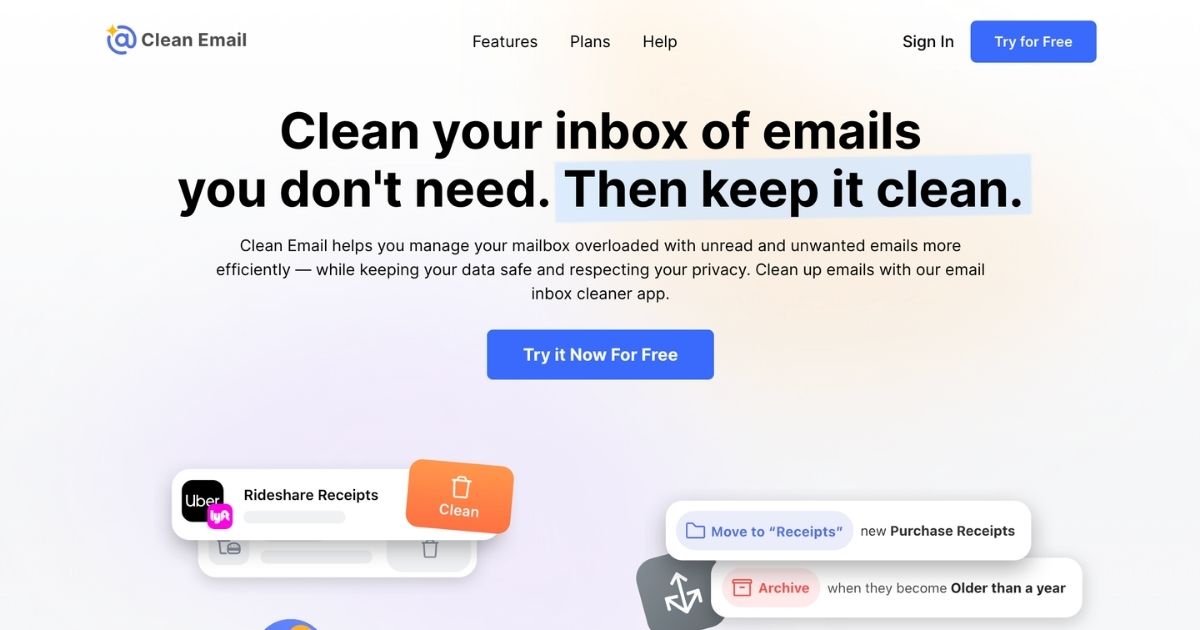
Clean Email is a cloud-based email management and automation tool designed to help users declutter their inboxes and maintain email hygiene over time. It supports major email providers—Gmail, Outlook, Yahoo, AOL, iCloud—as well as any service using IMAP. Rather than scanning email content, it processes only headers and metadata, emphasizing privacy and data security.
Key Features
Cleaning Suggestions & Bulk Management
Clean Email helps you quickly identify large groups of messages—such as newsletters, automated receipts, or social media notifications—using smart suggestions based on your usage and anonymized community behavior. Then you can archive, delete, or organize thousands of messages at once via filters for date, size, sender, subject, etc.
Smart Folders
Predefined categories (e.g. Social, Finance, Shopping, Travel) group related messages automatically. These Smart Folders let you inspect and act on sets of email in one place.
Unsubscriber, Pause & Read Later
To manage newsletters and mailing lists, Clean Email provides an Unsubscriber tool that lists active subscriptions, allows one-click unsubscribes, and can block future messages. It also allows users to pause subscriptions temporarily or reroute them into a “Read Later” folder to avoid constant inbox disruption.
Screener & Sender-Level Rules
The Screener feature acts as a gatekeeper—any email from new or unknown senders can be held for review before entering the inbox. Sender Settings allow you to block, mute, auto-trash after a period, keep only the newest message, or tag messages (star/archive) for selected senders. These features require the premium version.
Auto Clean Automation
You can build rules (based on sender, age, status, etc.) that automatically manage incoming or existing messages according to your preferences, reducing manual cleanup.
Privacy and Security
Clean Email’s data access is limited: only header information and metadata, no scanning of email bodies or attachments. The tool has been verified as a trusted app by providers like Yahoo and AOL, and it holds an A+ rating from the BBB. Data is deleted if accounts are inactive (after 45 days) or when users request deletion.
Who Is It For?
- Business owners or professionals with high-volume, multi-account email needs, especially when inbox overflow impairs productivity.
- Teams or small organizations seeking centralized subscription control or bulk cleaning across multiple accounts.
- Individuals with privacy concerns, needing tools that minimize access to content and avoid data selling.
- Remote workers, consultants, or freelancers who need to manage interruptions (e.g. newsletters, promotions) and focus on priority messages.
It may be less relevant if you require content-level scanning (e.g. email bodies or attachments), or if your workflow doesn’t tolerate any automated deletions of older messages without manual review.
Pricing
- Free Plan: Allows cleaning up to 1,000 messages at no cost. Basic actions like moving, deleting, labeling, starring, and unstarring messages are included. Premium features—Screener, Auto Clean, advanced sender/mailing-list rules—are locked.
- Premium Plans: Multiple subscription tiers are available (per account; multi-account business bundles exist). All plans offer full access to all current and future features.
- Trial Period: Clean Email offers a 14-day free trial of the premium features, which includes up to 25 unsubscribe actions.
Fees vary depending on account count and billing (monthly vs. annual), with significant savings for yearly commitments. Bulk pricing or discounts may apply for non-profits, education, or multiple accounts.
Final Thoughts
Clean Email offers a comprehensive, privacy-centered toolkit for managing and automating email inboxes. Its strength lies in reducing the daily burden of mass email, subscriptions, and unwanted senders—with features tailored for professionals who value control and efficiency.
However, as with any automation, users will need to invest some time initially: configuring sender rules, defining filters, and reviewing suggestions. For organizations where every email is business-critical, automated deletions—especially older or recurring messages—should be used cautiously.
Overall, for business owners and decision-makers seeking to reclaim time, reduce inbox noise, and enforce email hygiene without compromising privacy, Clean Email merits serious consideration.
Visit clean.email for more.